Before You Begin
This page covers setup only. Class-time recording is handled from the mobile app.
Product terms and workflow diagram
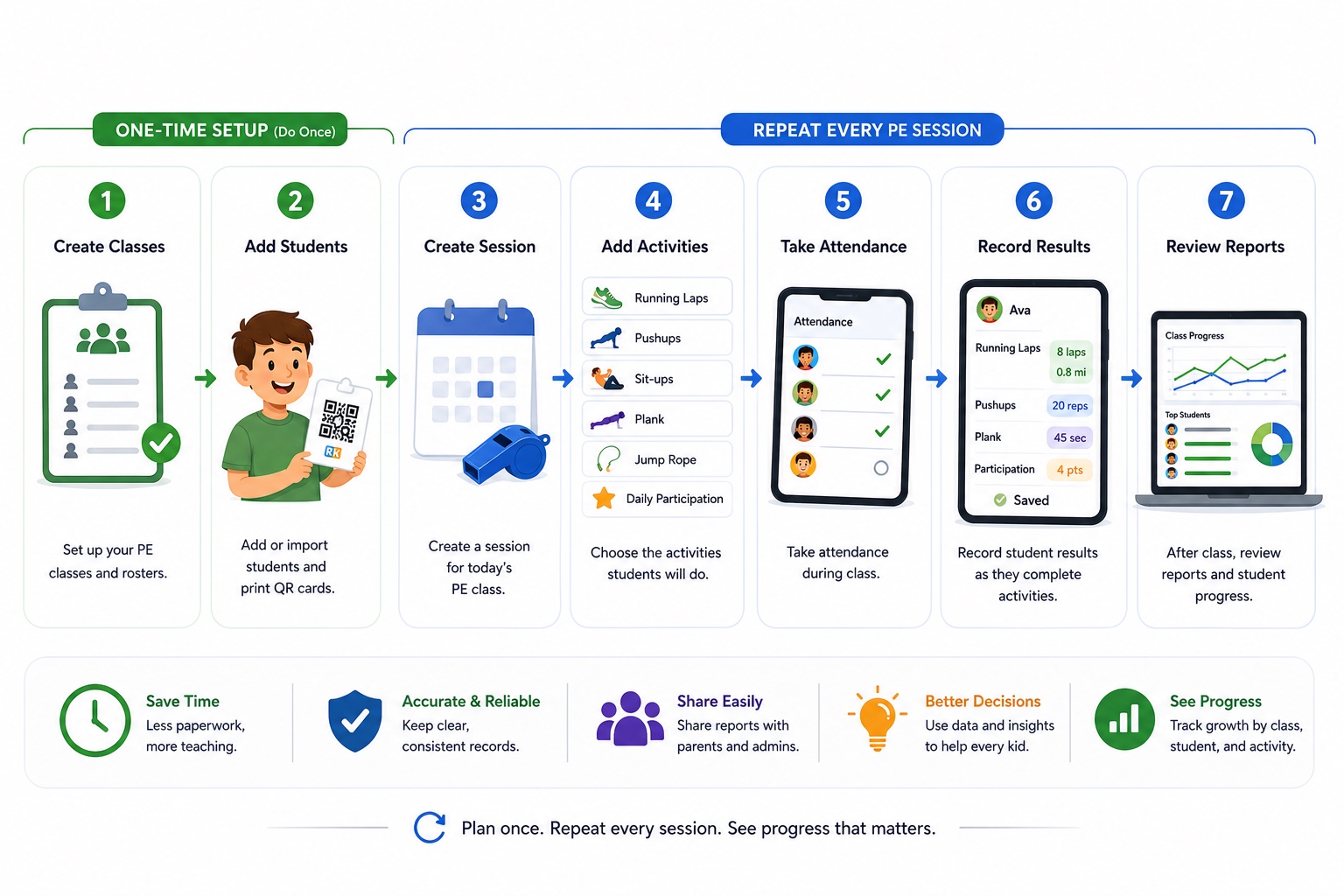
Class
A roster group, such as Morning PE - K/1st or Midday PE - 2nd/3rd. Reports can be filtered by class.
Student
A child in your roster. Students can belong to one or more classes and can have printable QR cards.
Session
One scheduled PE class meeting. A session has a date, class, status, attendance, notes, and selected activities.
Activity
What students do during PE, such as Running Laps, Pushups, Plank, Sit-ups, or a custom school activity.
Record
A saved student result for an activity. Examples: 8 laps, 25 pushups, 45 seconds, or 4 participation points.
Reports
Views that summarize attendance, activity records, class progress, student progress, trends, and parent sharing.
One-time Account Setup
Complete these tasks once when preparing a new school account. Do not create or run a daily class session as part of this checklist.
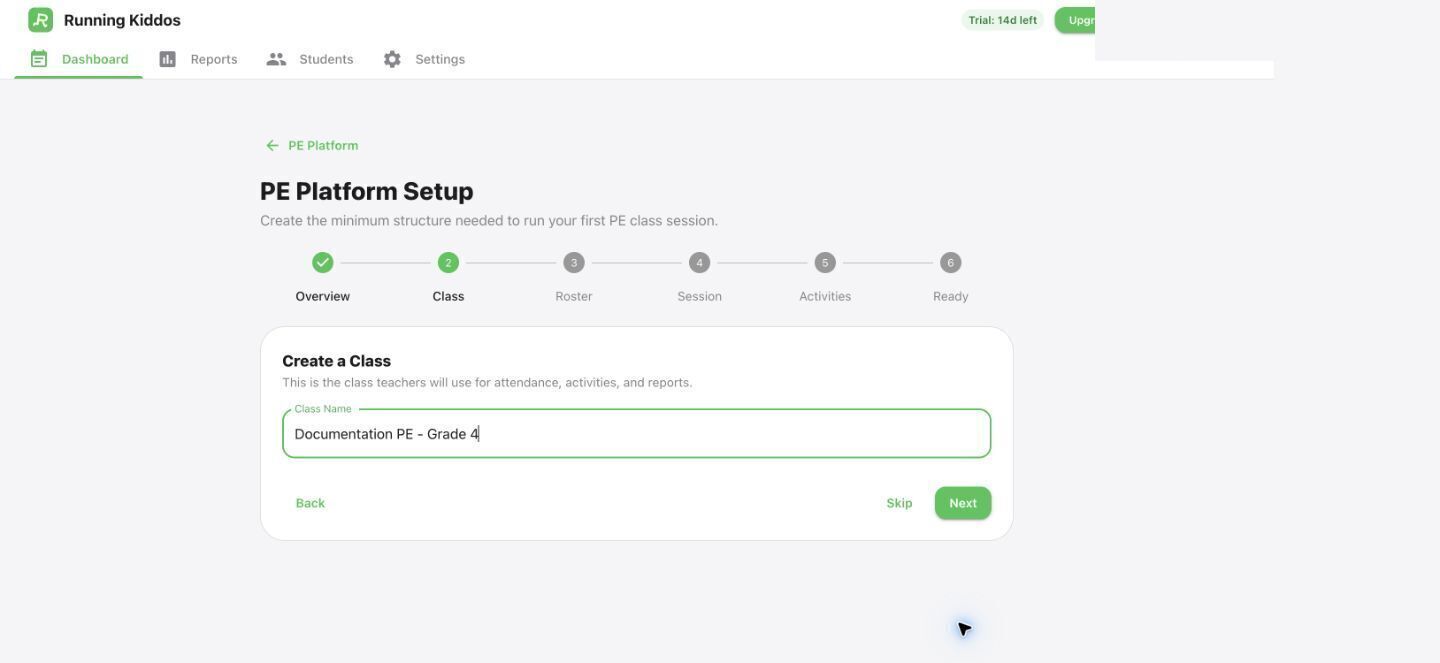
Create classes
Set up the groups you actually teach. Class names should be clear enough to pick quickly on mobile.
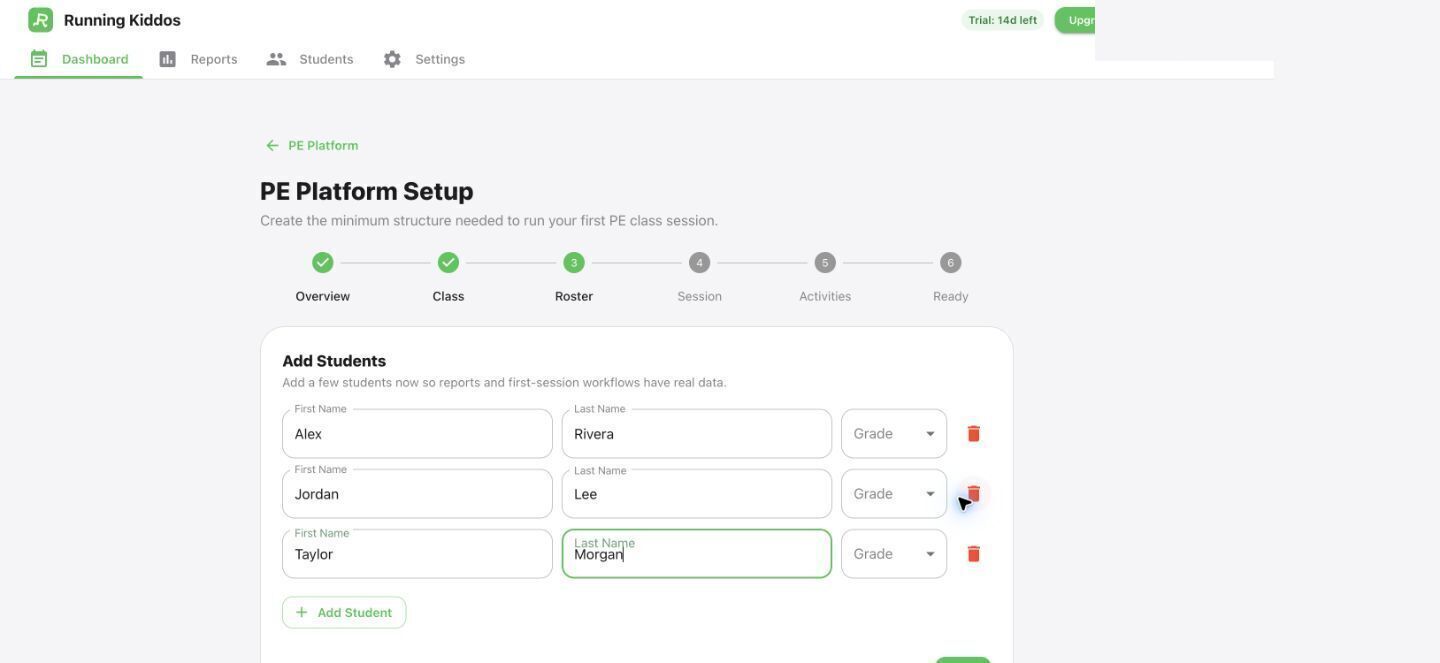
Add or import students
Add students manually or import a roster. Assign students to the right classes before printing QR cards.
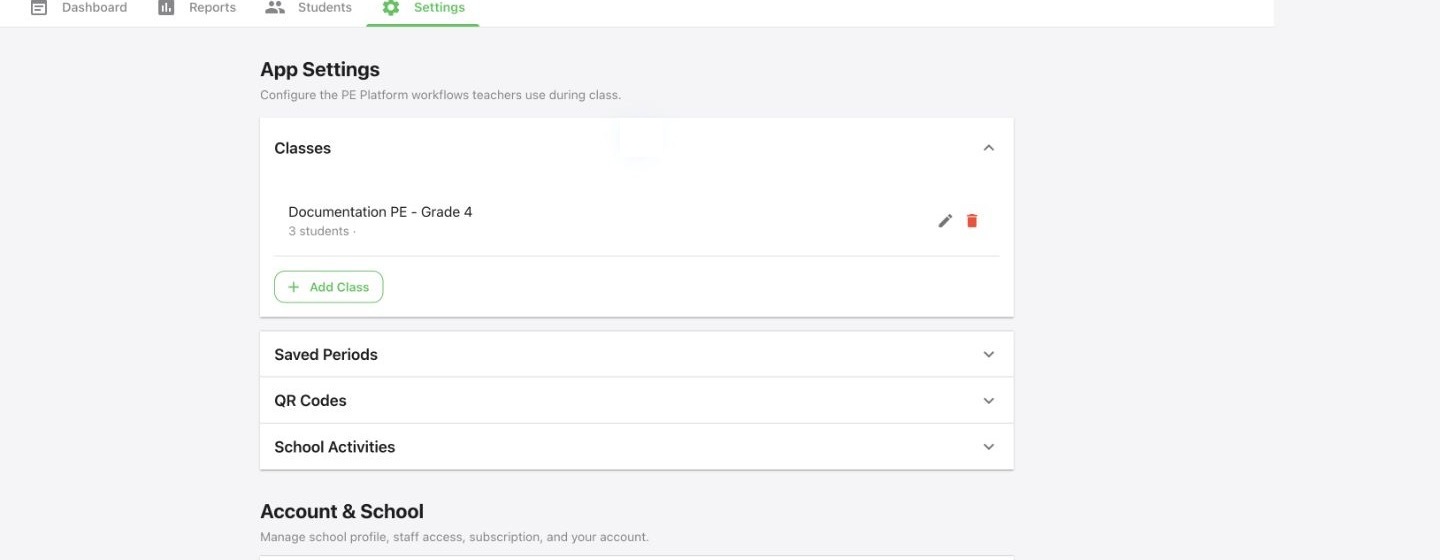
Configure school activities
In Settings, choose which activities teachers can add to future sessions. Verify each activity's unit and the lap distance used for Running Laps.
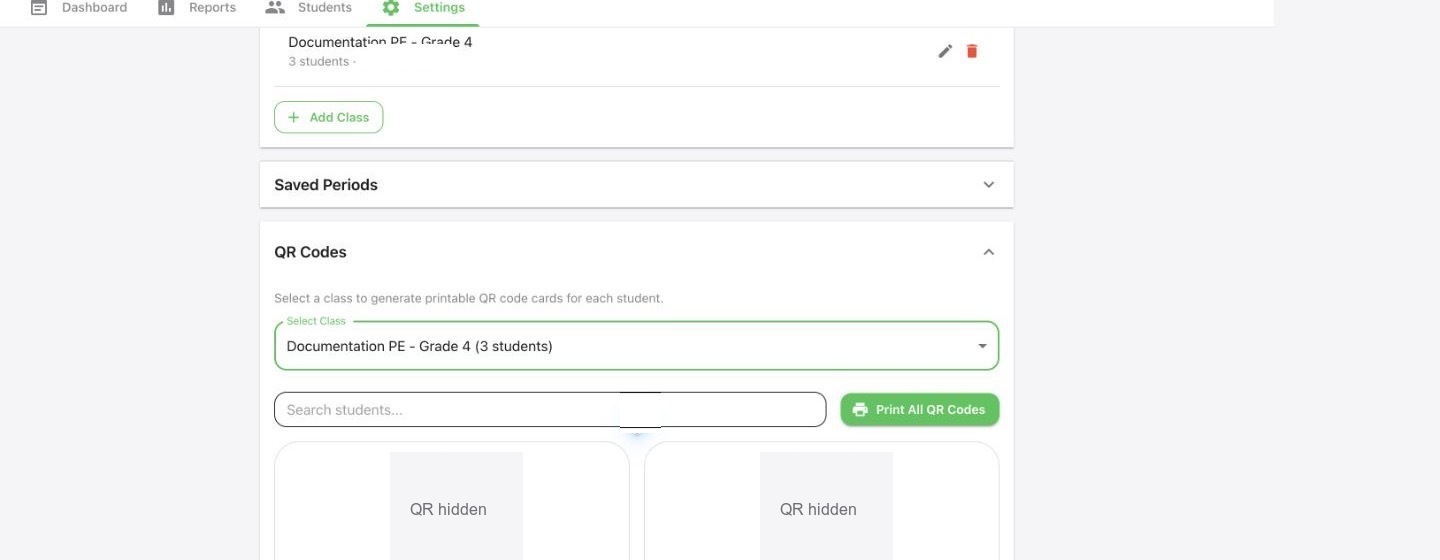
Print QR cards if needed
QR cards are most useful for lap days. You can still enter records manually for activities where scanning is not helpful.
Review school and staff access
Confirm School Info, Teachers, and Account under Account & School before staff begin using the PE Platform.
Account Setup Ends Here
A sample created in the optional wizard stages does not replace the teacher’s real class-time workflow.
Continue with Run a PE class from mobile when you are ready for the normal daily workflow.